Sign In With Google or Your Email
Yes, you can sign in to Indexync with your Google account or with your email and password, and both keep working. Click Continue with Google on the Sign In or Sign Up page and pick your account, so there is no new password to remember. Already have an Indexync account with the same email? You are signed in to that same account, with your stores and products as before.
Applies to: All plans
Before you start: Have a Google account. If you already have an Indexync account, the Google email must be the same as your Indexync email.
How Do I Sign In or Sign Up With Google?
Open the Sign In page or the Sign Up page, click Continue with Google, and pick your account in the Google window.

If you already have an Indexync account with this email, you go straight to your Dashboard. If you are new, Indexync creates your account and takes you to the setup wizard, the same as an email signup. It is covered in Create an Indexync Account.
Indexync looks up your country for you. If it can't, a Choose Your Country screen appears. Pick your country and click Continue. To use a different Google account instead, click Use a Different Account.
What Happens If My Email Already Has a Password?
Click Continue with Google and pick the Google account with that email. You are signed in to your existing account. A Gmail address works this way straight away. A Google Workspace (business) address usually works straight away too.
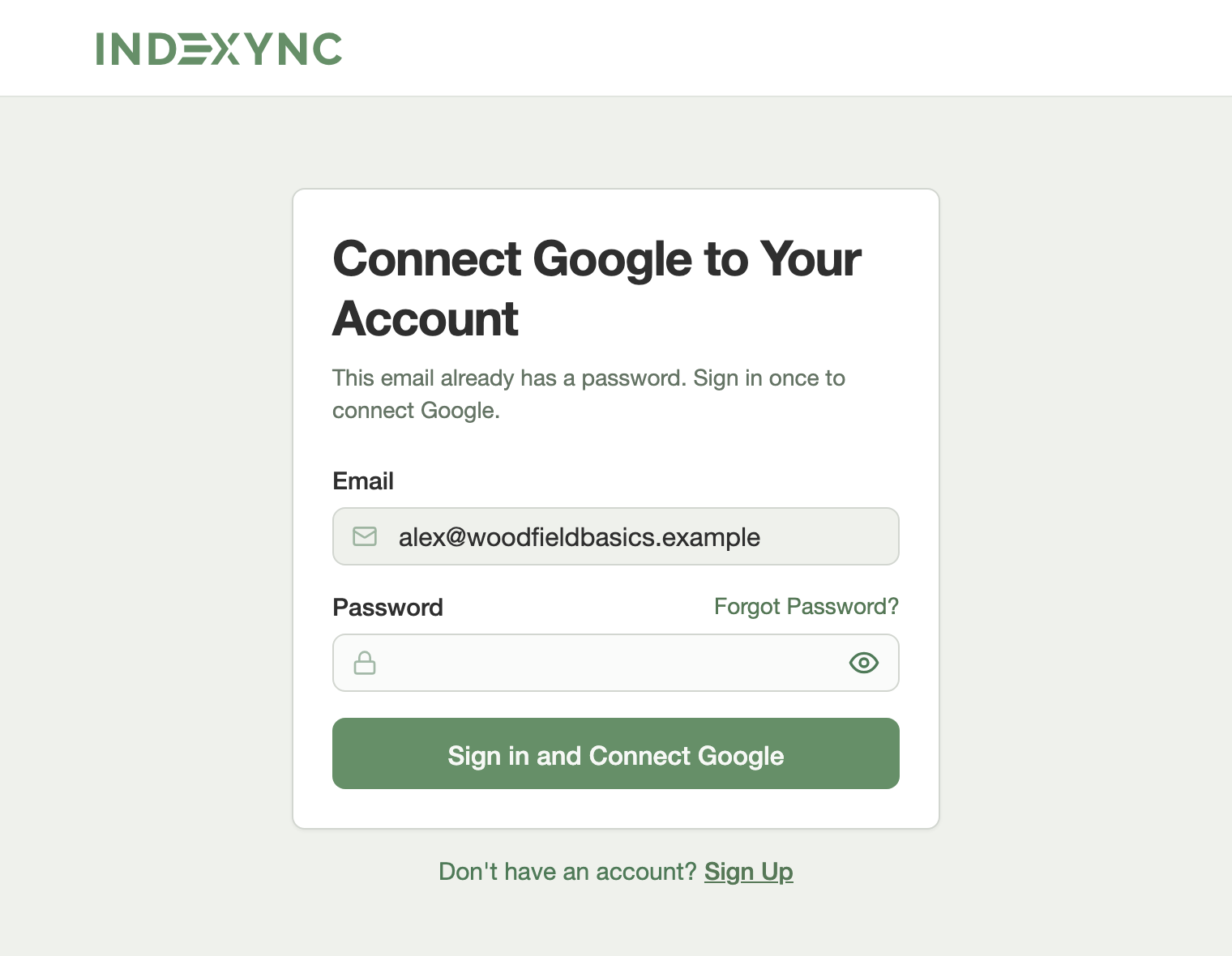
Sometimes Indexync asks for your password once first. A Connect Google to Your Account box opens with your email already filled in, and you can't change it. Type your Indexync password and click Sign in and Connect Google. Google may ask you to pick your account again. Pick the same one. After that, Continue with Google works every time.
If you use a Google Workspace address and Indexync signs you in without asking for your password, it also sends you one email. The email says Google sign-in was connected to your account, with the date and time. If it was not you, reply to that email or message support on WhatsApp, and change your password.
Example: Mei Ling signed up last year with mei.ling@mybrand.com and a password, and that business email runs on Google Workspace. She clicks Continue with Google on the Sign In page and picks that account. She is signed in to her existing account and sees her Dashboard with her stores and products as before. Indexync emails her to say Google was connected.
Can I Still Use My Email and Password?
Yes. Nothing changes about your password after you use Google. Sign in with your email and password on the Sign In page whenever you like. If you forget the password, click Forgot Password? on the Sign In page. It also works for accounts you created with Google. To change your password or other account details, see Manage Your Indexync Account Settings.
What If My Google Email Is Different?
A Google account with a different email does not open your existing account. On the Sign In page, Indexync treats it as a new person signing up, and continuing would create a separate new account. In the Connect Google box, a different Google email is not kept. You see a message that Google could not be connected, and your password keeps working. Use the Google account that has your Indexync email.
Example: Daniel's Indexync account uses daniel@shop.com, but his phone is signed in to Google as daniel.personal@gmail.com. Continue with Google would not open his shop account. He picks the Google account that matches daniel@shop.com, or signs in with his password.
Troubleshooting
Find the message you see, then open its entry.
I Can't See Continue With Google
Why: Google does not allow sign-in inside the built-in browser of apps such as Instagram or Facebook, and the Shopify App Store sign-up and sign-in links do not offer it.
- Open the page in Chrome or Safari.
Google Says It Couldn't Open Sign-In
You see: "Couldn't open Google sign-in", with a reminder to allow pop-ups.
Why: Your browser blocked the Google window.
- Allow pop-ups for Indexync in your browser.
- Click Continue with Google again.
Google Sign-In Didn't Finish
You see: "Couldn't sign in with Google", with a suggestion to try again or "use the email form below".
Why: The Google window closed or Google could not confirm you.
- Click Continue with Google again, or sign in with your email and password.
Google Says My Email Already Has a Password
You see: "Couldn't sign in with Google", followed by a note that "This email has a password" and to sign in with it.
Sign In page.
Why: That email already has an Indexync password, and Google could not connect on its own.
- Sign in with your email and password.
Google Could Not Be Connected
You see: "Couldn't connect Google to your account", with a note to keep signing in with your password.
Connect Google box.
Why: Google did not connect, for example because it returned a different email.
- Keep signing in with your password.
- To try again, use the Google account that has your Indexync email.
FAQ
Do I need a new password for Google sign-in?
No. Google sign-in uses your Google account, so there is nothing new to remember.
Does connecting Google change my stores or products?
No. You sign in to the same account, with the same stores and products as before.
Can I use Forgot Password if I signed up with Google?
Yes. Click Forgot Password? on the Sign In page, or in the Connect Google box.
Why don't I see the Continue with Google button?
You are most likely in the built-in browser of an app such as Instagram or Facebook. Open the page in Chrome or Safari.
Will I get an email when Google is connected?
Only if you use a Google Workspace address and Indexync signs you in without asking for your password. You get one email with the date and time. A Gmail address and the Connect box send no email.
Related articles
Need more help?
Fill out our Feedback form, WhatsApp us, or email hello@indexync.com with:
- The email address you use to sign in
- Screenshots of any message you see
- The page you are on (Sign In or Sign Up)