How Do I Export My Orders to a Spreadsheet?
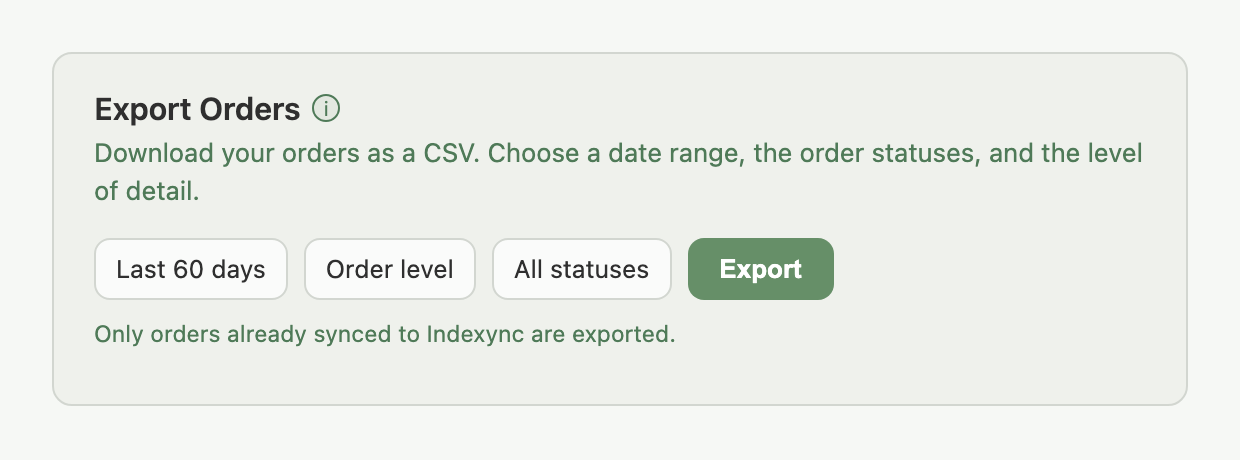
On the Lite, Pro, and Scale plans, Export Orders in Settings downloads a CSV of your orders, either one row per order or one row per line item. Choose a date range up to 6 months back, filter by status, and download.
Applies to: Lite, Pro, and Scale plans
Where to find it
- In the sidebar, click Settings.
- Click the Orders tab.
- Scroll to the Export Orders card, above Import Order History.
On Free, this card shows an upgrade prompt instead of the controls below.
How to export
- Choose a date range: Last 7 days, Last 30 days, Last 60 days, or Custom Range with your own From and To dates.
- Choose a level: Order level (one row per order) or Line item level (one row per product in an order).
- Choose which statuses to include. All are selected by default; deselect any you don't want.
- Click Export. The file downloads as a CSV named with your export level and date range.
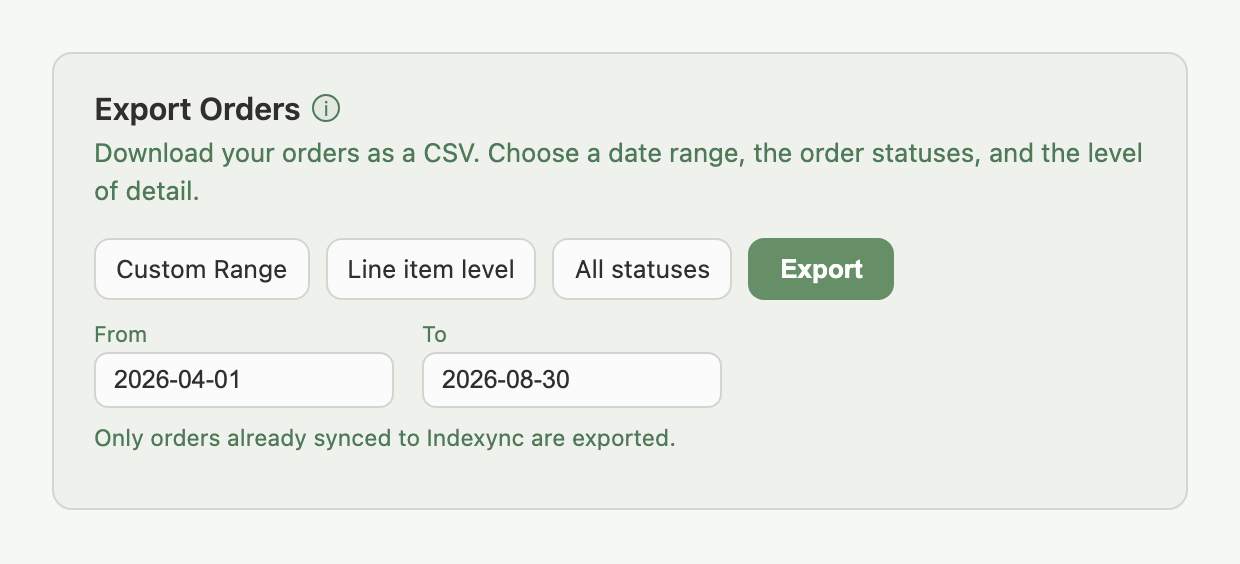
A custom range still can't reach further back than 6 months; picking an earlier From date is rejected before you export.
Example: you want everything from a Shopee promotion that ran from April to June. Instead of a 60-day preset, you pick Custom Range, set From to your promotion's start date and To to its end, and export at line-item level so you can see exactly which SKUs sold.
Only orders already synced to Indexync are included. If an order hasn't shown up in Manage Orders yet, it won't be in the export. A newly connected store only has the orders Indexync has imported for it, not its full marketplace history, unless you also run Import Order History first.
What's in the file
Order level: one row per order: Order ID, Channel, Created At, Status, Currency, Order Total, Item Count, Fulfillment Type, Shipment Provider, Payment Method, Shipping Fee, Seller Discount, Settlement Amount, Total Fees, Settlement Shipping Cost, Settlement Date, Net Payout.
Line item level: one row per product per order: Order ID, Channel, Created At, Status, SKU, Seller SKU, Product Name, Variation, Quantity, Paid Price, Discount, Seller Voucher, Platform Voucher, Voucher Amount, Item Revenue, Currency.
A few things to know about the columns:
- Order ID is your marketplace's own order number, with Indexync's internal channel prefix removed, so it matches what you see on the marketplace itself.
- Settlement fields (Settlement Amount, Total Fees, Settlement Shipping Cost, Settlement Date, Net Payout) only fill in for orders that have actually settled on the marketplace. They're blank for orders still in progress.
- Line-item exports on large date ranges can run to thousands of rows. Past a certain size, you'll see a confirmation asking if you want to continue before the download starts.
FAQ
Which plans can export orders to CSV?
Lite, Pro, and Scale. On Free, the card shows an upgrade prompt in place of the export controls.
How far back can I export?
Up to 6 months, whether you use a preset range or Custom Range.
What's the difference between order level and line item level?
Order level gives you one row per order, good for a financial or fulfilment summary. Line item level gives you one row per product sold, good for seeing which SKUs moved.
Why is an order missing from my export?
Only orders already synced to Indexync are included. If it hasn't appeared in Manage Orders, it won't be in the file; import it first, or run Import Order History if it's an older order from before you connected.
Why are the settlement columns blank for some orders?
Those orders haven't settled on the marketplace yet. Settlement figures only populate once a marketplace reports the order as settled.
Related Articles
- Understanding orders and order details
- Can I import past orders into Indexync?
- Plan limits and order processing
Need More Help?
Visit our Feedback form, WhatsApp us, or email hello@indexync.com.