Team Seat Limits by Plan
The number of team member accounts you get depends on your plan. Free and Lite don't include any member accounts, while Pro includes 2 and Scale includes 5, on top of your own account as the workspace owner. You can check your usage anytime on the Team tab. If you try to invite past your limit, Indexync shows you how many you've used and offers to upgrade.
Applies to: All Indexync plans (Free, Lite, Pro, Scale).
Member Accounts by Plan
A member account is what one team member uses to sign in. It's separate from your own account, which always has access no matter which plan you're on.
You'll see the same "Member accounts" number wherever you compare plans: on Pricing, the plan comparison table, Trial Checkout, and Manage Subscription.
Where You Can See Your Usage
Open Settings > Team to see your seat meter. It shows how many member accounts you've used out of your plan's total, counting anyone you've invited or who is currently active. Your own account is never included in that count.

If you're on Free or Lite, the same meter tells you your plan doesn't include team members and offers an upgrade.
What Happens When You're at Your Limit
Once you've used every member account your plan includes, the invite window stops you from adding another. It shows how many you've used on your current plan and offers to upgrade to one with more. You can close the window or upgrade right there.
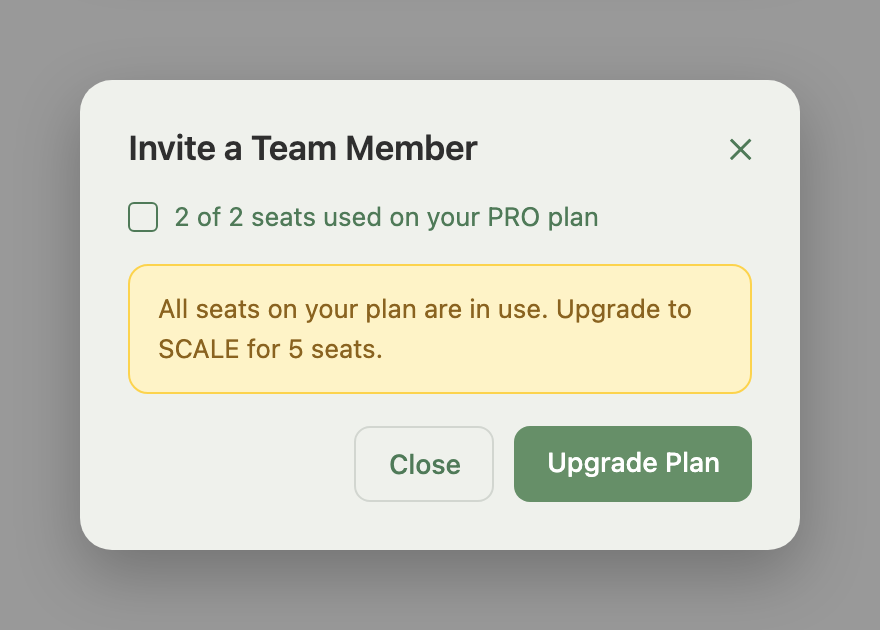
To free up an account instead of upgrading, pause or remove an existing team member from the Team tab. For the full invite walkthrough, see Inviting and Managing Team Members.
What Happens If You Downgrade Below Your Headcount
If you move to a plan with fewer member accounts, nobody is deleted.
- The members over your new limit are paused until you upgrade again.
- The rest of the member accounts keep working as normal.
- A paused member sees a message that their seat is on hold, and their access comes back the moment you upgrade, with no need to invite them again.
- If your new plan has no member accounts at all, every team member is locked out the moment they try to sign in, with a message telling them to ask you to upgrade.
- Only you, as the workspace owner, can restore their access by upgrading again.
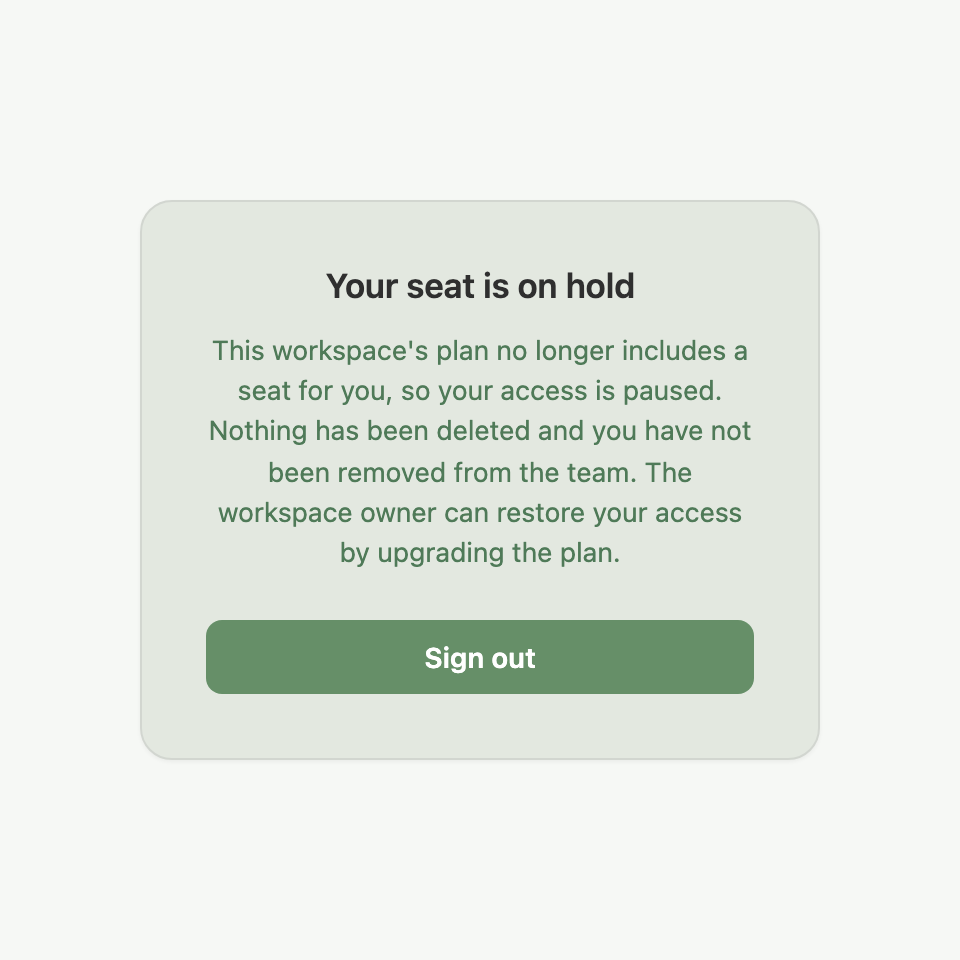
Example: A Scale-plan seller with 5 active team members downgrades to Pro (2 member accounts) at renewal to save money. Two members keep working normally. The other three see "Your seat is on hold" until the seller either upgrades again or removes members to free up accounts for them.
Example: A Lite-plan seller who never used team features invites a friend to help during a sale, then drops to Free once their trial ends. The friend now sees "Team access locked" every time they sign in, until the seller upgrades to a plan that includes member accounts again.
Troubleshooting
I can't invite anyone and I'm not sure why. Check your usage on the Team tab. If you're at your plan's limit, upgrade to a plan with more member accounts, or free one up by removing a team member who no longer needs access. See Inviting and Managing Team Members.
A team member says they're locked out or their seat is on hold. Your workspace's plan doesn't currently have enough member accounts for everyone, usually right after a downgrade. Upgrading restores their access right away, and nobody needs to be re-invited.
My usage on the Team tab doesn't match what I expected. The count only includes team members you've invited or who are active, never your own account. If you removed someone recently, their account frees up right away.
FAQ
Does the workspace owner count as a member account?
No. Your own account always has access on every plan, and it's never counted against the member accounts shown on the Team tab or anywhere else.
What happens to my team if I downgrade to a plan with fewer member accounts?
Nobody is deleted. If your new plan still includes some member accounts, only the team members over the new limit are paused until you upgrade again or free up accounts. If your new plan has no member accounts at all, every team member is locked out until you upgrade.
Can I free up a member account without removing someone permanently?
Yes. Pausing their access (the Deactivate button) or removing them from the Team tab frees their account right away, so you can invite someone else into it.
Why does the invite button say I'm out of accounts?
Your workspace has used all the member accounts your current plan includes. The invite window shows your current usage and offers to upgrade to a plan with more.
Do Free and Lite plans support team members at all?
No. Free and Lite only include your own account. Member accounts start at Pro.
Related Articles
- Inviting and Managing Team Members
- Roles and Permissions
- How to Upgrade Your Plan
- How to Downgrade Your Plan
Need More Help?
Visit our Feedback form, WhatsApp us, or email hello@indexync.com.