How Do I Ship and Fulfil TikTok Shop Orders?
Click Ship Package on the order. What happens next depends on the buyer's checkout choice: a TikTok Logistics order confirms and arranges pickup immediately; a Seller Ship order opens a window asking for your own carrier and tracking number. Indexync shows the right one automatically, so you don't need to check TikTok Seller Center first.
Applies to: All plans with a connected TikTok Shop store.
Two TikTok fulfilment modes
You can tell the two apart by what happens when you click Ship Package: a TikTok Logistics order confirms immediately and TikTok arranges pickup. A Seller Ship order opens the Seller Shipping Details window instead, asking for your carrier and tracking number.
Example: two TikTok Shop orders arrive. The first shows "Ship Package"; clicking it confirms the shipment right away and TikTok arranges pickup, that's TikTok Logistics. The second also shows "Ship Package", but clicking it opens Seller Shipping Details with carrier and tracking fields, that's Seller Ship, and you enter the tracking number from the courier you're using.
Finding your TikTok orders
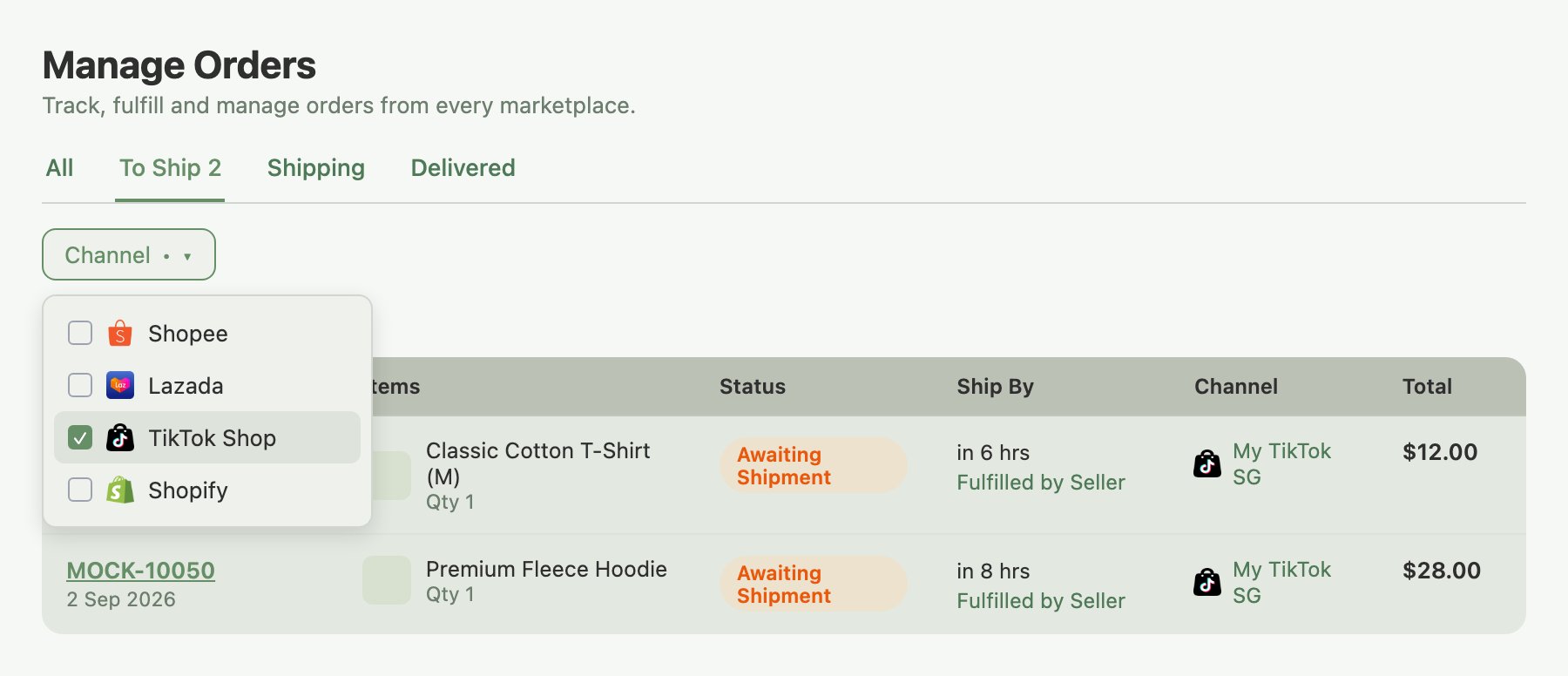
Open Orders in the left sidebar to reach the Manage Orders page.
- Click the Channel filter in the toolbar.
- Select TikTok Shop.
The list narrows to TikTok orders only. Switch to the To Ship tab to see orders in Awaiting Shipment status, waiting for you to confirm shipping.
TikTok Logistics orders
TikTok manages the carrier relationship for these orders.
- Open the order from Manage Orders.
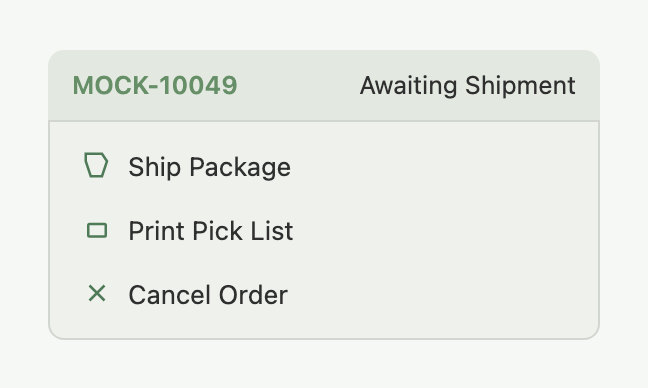
- Click Ship Package in the Actions menu.
- TikTok handles the carrier side; you'll see a tracking number appear on the order and the status update once TikTok confirms.
- Once tracking is assigned, click Generate Shipping Label to download the label and attach it to your parcel. (For the label status icons and the bulk Shipping Labels window, see Where Do All My Marketplace Orders Show Up?.)
Generate Shipping Label only becomes available after the order has shipped; TikTok doesn't generate labels before that. If you click it too soon, wait until the order moves out of Awaiting Shipment and try again.
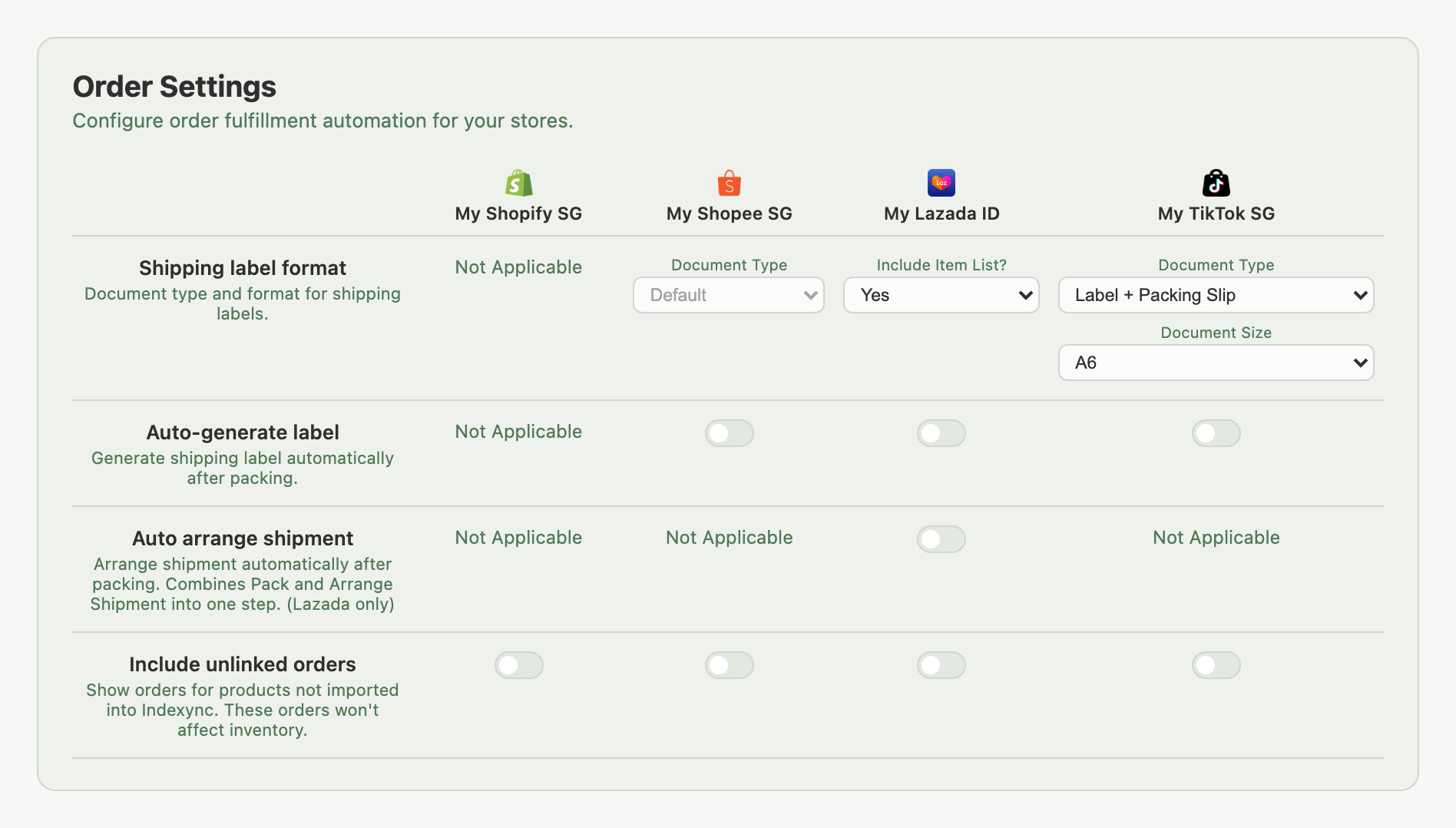
Skip the label click entirely: turn on Auto-generate label for your TikTok Shop store under Settings → Orders and Indexync creates the label automatically as part of shipping, ready to download from the Shipping Labels window. One less step on every order.
Seller Ship orders
Clicking Ship Package on a Seller Ship order opens the Seller Shipping Details window instead of confirming directly. It's organized by package; an order with more than one package asks for carrier and tracking separately for each.
- For each package, select your carrier from Shipping Provider (required).
- Enter Tracking Number (required). The Ship Package submit button stays disabled until every package has both filled in.
- Click Ship Package to submit.
Indexync sends your carrier and tracking number to TikTok, and the buyer sees your tracking number in their TikTok order. Pack and hand the parcel to the courier you selected yourself; Indexync only passes along the tracking data, not the parcel.
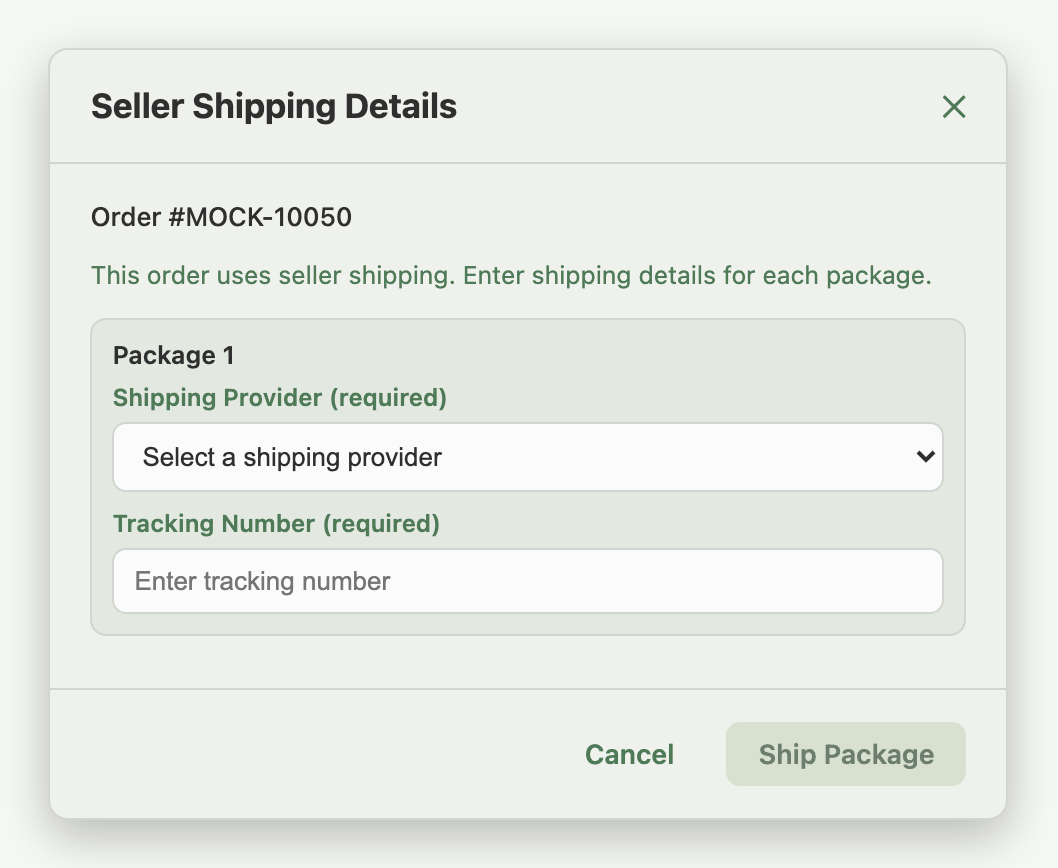
Example: MOCK-10050 is a Seller Ship order. Click Ship Package. The Seller Shipping Details window opens with one package listed. Select your carrier from Shipping Provider, type in the tracking number, then click Ship Package again to submit. TikTok Shop shows your tracking number to the buyer; you still hand the parcel to your own courier.
Why Generate Shipping Label is unavailable for Seller Ship
TikTok doesn't generate labels for Seller Ship orders, since you're using your own courier and TikTok doesn't know that courier's label format. Use your courier's own label or printing setup instead.
Digital-goods orders
A small number of TikTok orders are digital goods that don't need physical fulfilment. TikTok Shop doesn't put these orders through the normal ship flow, so they don't show physical shipping actions such as Ship Package or Generate Shipping Label.
Cancelling an order
The Cancel Order action appears on TikTok orders that are still cancellable. Click it to open the cancellation window, select a reason, and confirm; Indexync sends the cancellation to TikTok.
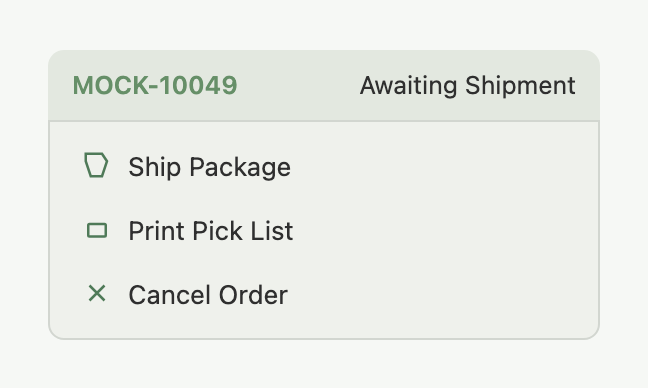
Cancellation is only available before the order has been handed over to the carrier. Once it's in transit, cancel it from your TikTok Seller Center instead.
Shipping document settings
Under Settings → Orders, each connected TikTok store has two controls, applied every time you print a TikTok label:
- Document Type: Shipping Label (label only), Label + Packing Slip (default), or Label Picture (PNG).
- Document Size: paper size for printing, default A6. If Document Type is set to a fixed-size format, Document Size locks to match.
This setting applies to TikTok Logistics orders only; Seller Ship orders don't generate platform labels.
Troubleshooting
Ship Package isn't showing. The order may already be shipped, or it's in a status that doesn't allow fulfilment yet. Check the order in your TikTok Seller Center. If your TikTok connection has lapsed, reconnect it under Connections (in the sidebar).
Seller Shipping Details won't submit. Both Shipping Provider and Tracking Number are required for every package. Fill them in for each one before clicking Ship Package.
Generate Shipping Label isn't showing. Either the order hasn't shipped yet, so the label isn't available, or it's a Seller Ship order, which never generates a platform label. Check the order's shipping type and shipment status.
Cancel Order isn't showing. Cancellation is only available before the carrier takes the parcel. Once it's handed over, manage cancellations from your TikTok Seller Center.
FAQ
How do I know if a TikTok order is TikTok Logistics or Seller Ship?
Click Ship Package. A TikTok Logistics order confirms immediately and TikTok arranges pickup. A Seller Ship order opens Seller Shipping Details, asking for your carrier and tracking number instead.
What do I need to fill in for a Seller Ship order?
A Shipping Provider and a Tracking Number for each package in the order. Ship Package stays disabled until every package has both.
Why can't I print a shipping label for a Seller Ship order?
TikTok doesn't generate platform labels for Seller Ship orders, since you're using your own courier. Use your courier's own label instead.
Why is Ship Package missing from an order?
The order is either already shipped or in a status TikTok doesn't allow shipping from yet. Check its status in your TikTok Seller Center.
Why isn't Generate Shipping Label showing yet on a TikTok Logistics order?
It only appears once the order has moved out of Awaiting Shipment. Ship the order first, then check back.
Related Articles
- Where Do All My Marketplace Orders Show Up?
- Processing Shopify Orders
- Processing Shopee Orders
- Processing Lazada Orders
- Bulk Operations & Pick Lists
- Handling Returns & Cancellations
- Troubleshooting Order Issues
Need More Help?
Fill out our Feedback form, message us on WhatsApp, or email us at hello@indexync.com.