What Is Indexync?
Indexync is a multi-marketplace management platform. Instead of logging into a separate seller portal for every channel you sell on, you manage one product catalog, one stock count, and every order from Shopify, Shopee, Lazada and TikTok Shop in a single dashboard. A sale on one channel updates your stock everywhere else automatically, so you stop overselling across channels without watching each portal yourself.
Applies to: All plans
What Indexync does
One catalog and one stock count feed every marketplace you connect. Orders from all of them land in one queue.
- Manage products once, then list them on any connected marketplace, instead of re-entering the same product on every seller portal.
- Sync stock automatically, so a sale on one channel adjusts the count everywhere else and you don't oversell.
- Process orders from every connected marketplace in one place, instead of switching tabs between portals.
- Track performance across stores and marketplaces from one set of reports.
Supported marketplaces
Indexync connects to four marketplaces:
- Shopify
- Shopee
- Lazada
- TikTok Shop
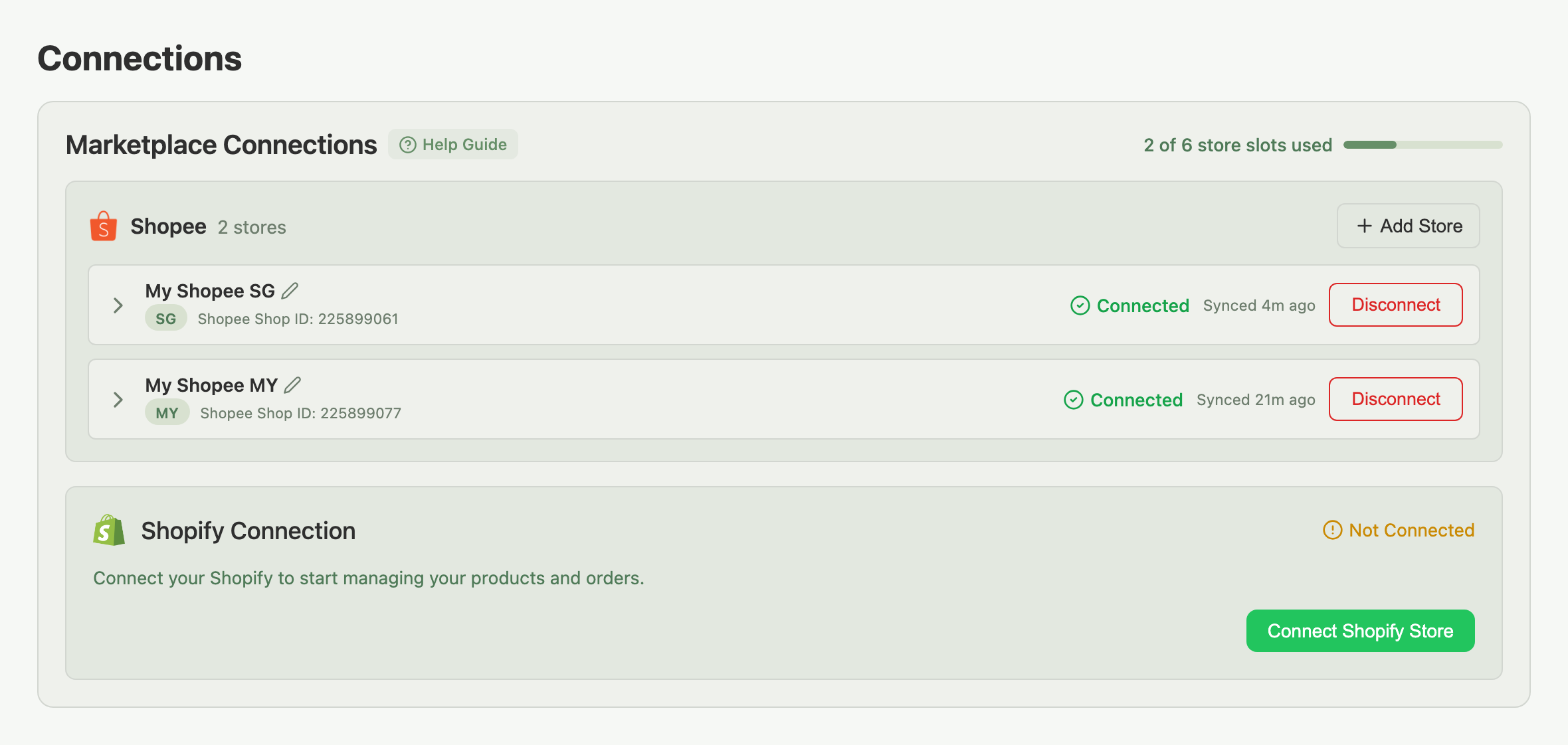
You can connect more than one store on the same marketplace, for example a separate Shopee store for each country you sell in.
Example: you sell on Lazada Singapore and Shopee Malaysia. You connect both, import your listings into Indexync, and now manage stock and orders for both stores from one dashboard. When a sale happens on Lazada, Indexync syncs the new stock level to Shopee automatically so you don't oversell.
Where to find things in the app
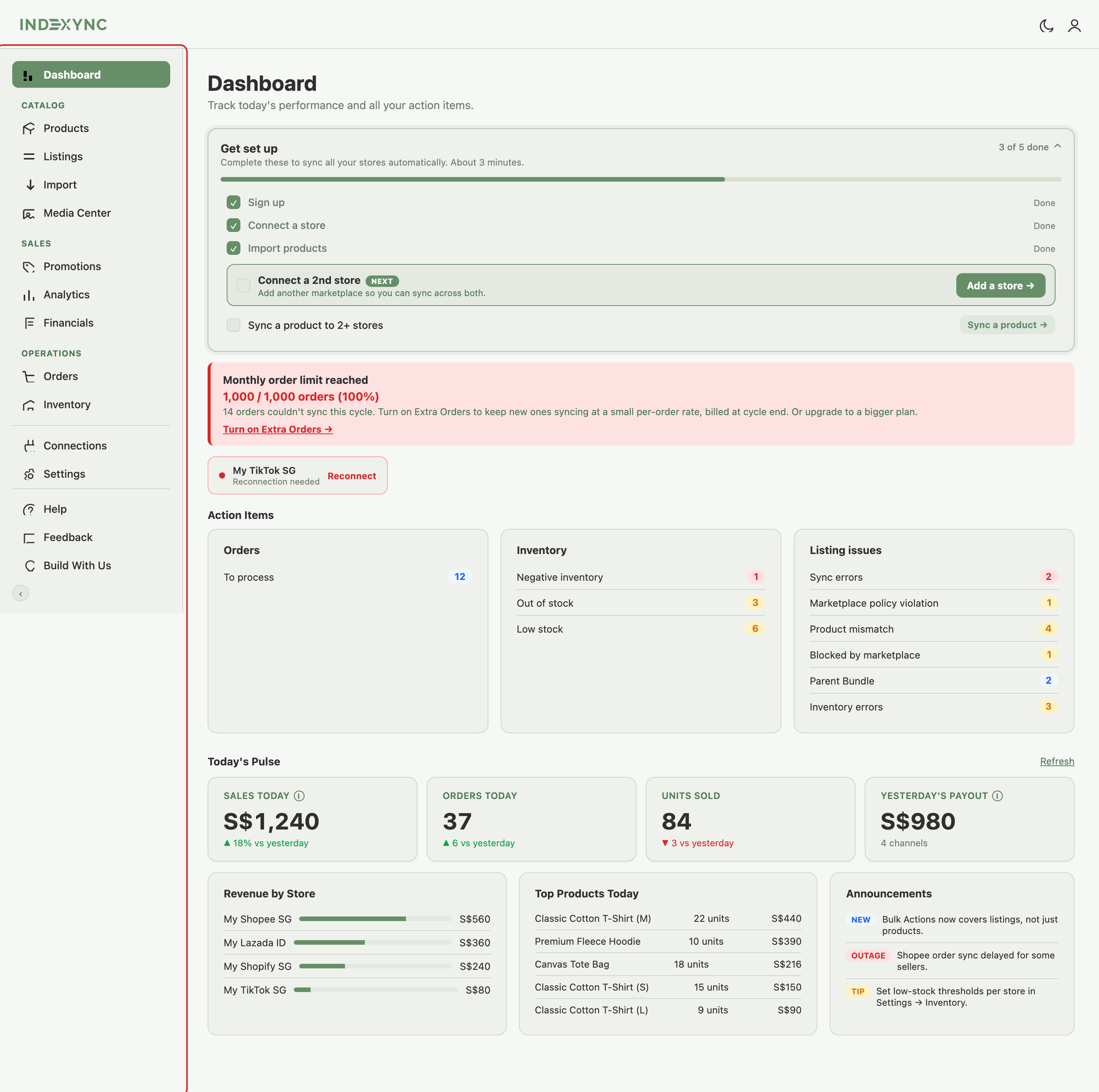
The sidebar groups your tools by intent, top to bottom:
Help and Feedback links sit at the bottom of the sidebar whenever you need them. Your Account and Billing pages live under your profile menu at the top right (on a phone, they are in the sidebar).
Getting started
Three steps get you from a new account to a working multi-marketplace setup:
-
Create your account. Sign up, verify your email, and finish the short setup wizard. See Create an Indexync Account.
-
Connect a store. Add your first marketplace from Connections (in the sidebar). See Connecting Your Marketplaces.
-
Import your products. Bring your existing listings into Indexync, or create products from scratch on the Products page. See Importing Products from Marketplaces.

Your Dashboard tracks these steps (plus connecting a 2nd store and syncing a product to 2+ stores) with a Getting Started checklist that hides itself once you're done. Once a product lives on two or more connected stores, Indexync starts auto-syncing its stock between them. See Understanding Your Dashboard and Creating New Listings and Expanding to New Marketplaces.
Getting help
- Help articles: guides for every feature, searchable from the Help section.
- Support: fill out our Feedback form, WhatsApp us, or email hello@indexync.com.
FAQ
Which marketplaces does Indexync support?
Shopify, Shopee, Lazada, and TikTok Shop.
Can I connect more than one store on the same marketplace?
Yes. A common setup is one store per country on the same marketplace, for example separate Shopee stores for Singapore and Malaysia.
Do I need existing listings on a marketplace to use Indexync?
No. You can import existing listings if you have them, or create products from scratch in Indexync and publish them to your connected marketplaces.
What's the difference between Products and Listings in the sidebar?
Products is your master catalog, one entry per item you sell. Listings shows how each product appears on every connected marketplace store.
Where do I start if I'm brand new?
Create your account, connect your first store, then import or create your products. See the Getting started section above.
Related articles
- Create an Indexync Account
- Connecting Your Marketplaces
- Importing Products from Marketplaces
- Understanding Your Dashboard
- Managing Your Account
- Creating New Listings and Expanding to New Marketplaces
Need more help?
Fill out our Feedback form, WhatsApp us, or email hello@indexync.com with your account details and any questions about getting started.