Why Did My Payment Fail, and What Happens Now?
A payment failed when your card could not be charged, and a red banner now asks you to pay again. Click Make Payment on the banner to pay with a working card on a secure Airwallex payment page. Indexync also tries the charge again on its own, so you can pay now rather than wait. Your products, marketplace connections and orders stay exactly as they are while the payment is unpaid. If you would rather change your card before anything fails, open Billing from your profile menu and click Update Card.
Applies to: Sellers on a paid plan who are billed by card through Indexync. If you signed up through the Shopify App Store, see If You Bill Through Shopify.
Open Billing from your profile menu at the top of the screen, or from the sidebar menu on your phone.
What the Payment Failed Banner Means
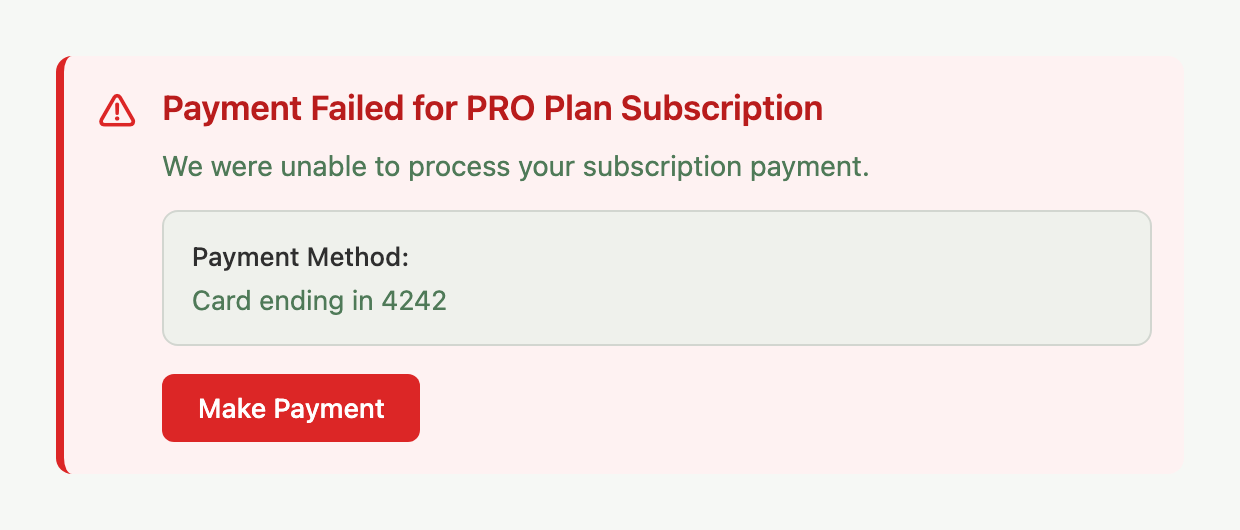
When your plan payment fails, a red banner appears at the top of Billing. It shows which plan the payment is for, the card on file ("Card ending in" and its last four digits), and a Make Payment button. Click it and Indexync opens a secure Airwallex payment page where you can use a different card or fix the one you have.
A tile in the sidebar shows the same problem, titled with your plan name and "at Risk". It reads "Payment failed" at first.
On the final try the banner adds an amber note saying this is the last retry and that your plan moves to the FREE plan if this payment fails. The sidebar tile changes to "Last retry before downgrade".
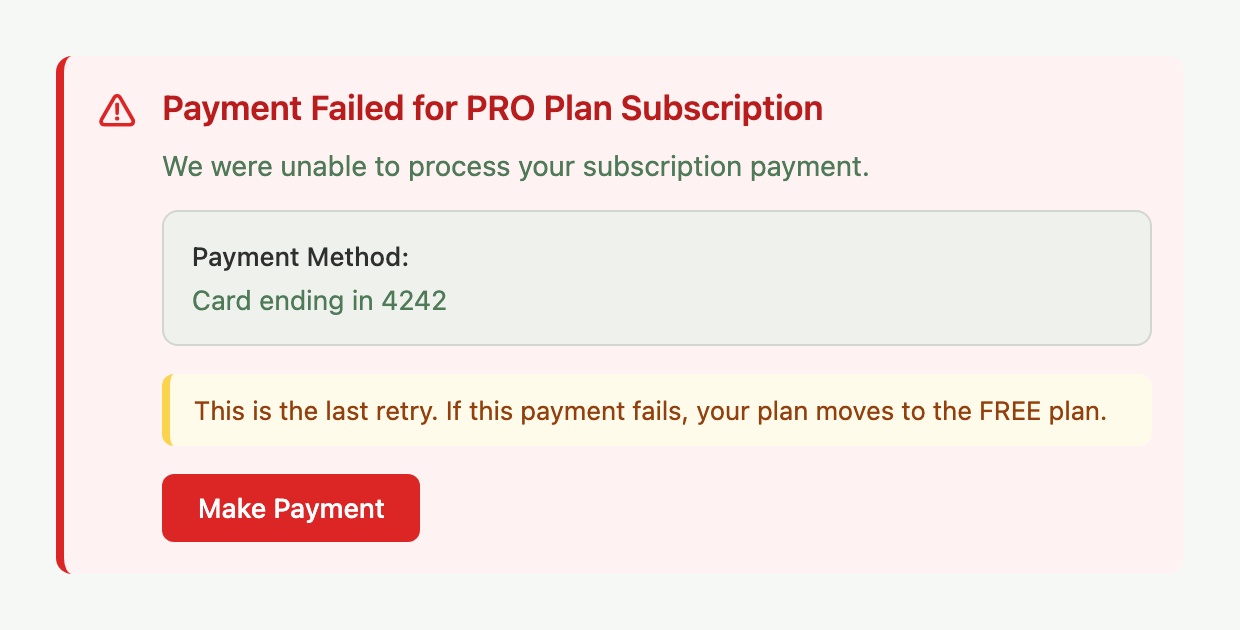
Example: Alex's card on file expires and the next PRO renewal fails. The banner shows on Billing with the card ending in 4242. Alex clicks Make Payment, enters a new card on the secure page and pays.
What Happens After You Pay
After you pay, a short screen called Confirming Your Payment checks the payment and updates your billing, usually within a few seconds. If it takes longer, the screen says the payment is not confirmed yet and updates by itself once it is.
Once your payment goes through, each failure banner shows a note that the payment was received and that billing can take a few minutes to update, and the sidebar tile says it is updating. The banner then clears on its own.
If you have store credit and automatic use is on (the default), your balance pays first and your card pays only what is left. This applies to Make Payment on a failed plan renewal and on a failed pack or Extra Orders charge.
What If a SKU Pack Charge Fails?
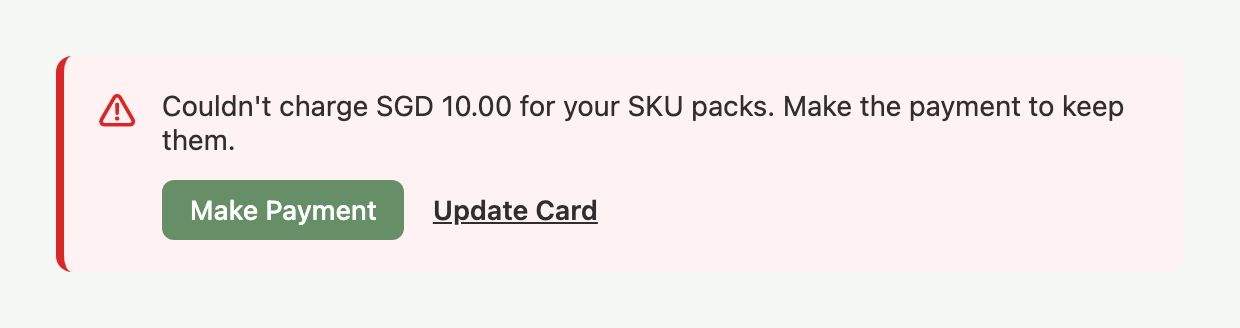
If the monthly charge for your SKU packs fails, a red banner on the Dashboard, the Billing page and the sidebar says Indexync couldn't charge the amount for your SKU packs. It asks you to make the payment to keep them. The sidebar tile is titled "SKU Packs at Risk". On the Dashboard the banner has Make Payment and Update Card. On Billing it has Make Payment, and Update Card sits in the Current Plan card. The sidebar tile has Make Payment only. You cannot dismiss the banner until the charge is paid.
Your plan, products and orders are not affected. Only the extra SKUs from your packs are at risk. While the charge is unpaid you cannot add more packs. The Billing page tells you to pay the failed pack charge first, or to pay your plan first if the plan itself is overdue.
If the charge keeps failing, Indexync removes your packs. A banner then tells you they were removed after repeated failed charges, that your plan stays the same, and that you can add packs again at any time. Packs are prepaid, so you owe nothing for the removed charge. To bring them back, click Add SKU Packs on the banner or in the Add-Ons section of Billing. You can dismiss this banner, and it disappears on every device. It also goes away by itself at the end of that pack month.
Your products stay in place after packs are removed. If your SKU count is above your plan's own limit, you cannot add new SKUs until you are back under the limit, add packs again or upgrade.
Example: Alex's PRO plan (1,500 SKUs) has 2 SKU packs, so the limit is 2,000. The pack charge fails and the SKU Packs at Risk banner appears. If Alex pays, the packs stay. If the packs are removed instead, the limit returns to 1,500 and Alex can add packs again from Billing.
For how packs are priced and added, see How Do I Get More SKUs Without Upgrading My Plan?.
What If an Extra Orders Charge Fails?
Extra Orders uses the same kind of banner on the Dashboard, the Billing page and the sidebar.
- Charge failed: the banner says Indexync couldn't charge the amount for your Extra Orders and asks you to make the payment to keep Extra Orders on. The sidebar tile is titled "Extra Orders at Risk".
- After repeated failures: the banner says Extra Orders is off. Make the payment, then enable Extra Orders again. The sidebar tile is titled "Extra Orders Paused".
- No Make Payment button: when the banner cannot take a payment itself, it has an Update Card link instead and shows on the Dashboard and Billing only.
What If a Payment Is Refused or Cannot Start?
Some payments are refused or cannot start.
- An earlier payment is still in progress. A new payment is refused until the earlier one finishes. Try again in a few minutes.
- Your price could not load. The trial checkout, onboarding plan step and upgrade popup say they couldn't load your price. Click Reload Price.
- Your store credit changed. If your balance changes between seeing a price and confirming, you are shown a new price. Check the new amount and try again. What Is Store Credit and How Does It Work? covers it.
- The payment page did not open, or the payment did not start. Try again.
- Your saved card could not be charged. A plan change paid with your saved card did not go through. Click Retry Payment to pay with a different card on a secure page, or click Update Card on Billing first and try again.
- A plan change has no saved card to use. The change is refused until you add a card. Click Update Card on the Billing page, then try again.
Updating Your Card Before It Fails
You do not have to wait for a payment to fail. On Billing, the Current Plan card shows your Payment Method as the card brand and its last four digits, with an Update Card button beside it. This is the card Indexync charges for your renewals. If you are on a paid plan and have no card saved yet, the row says "No card saved yet" and the same button adds one. Click it to save a new card on a secure Airwallex page. Nothing is charged right then. The new card is used for your next payment.
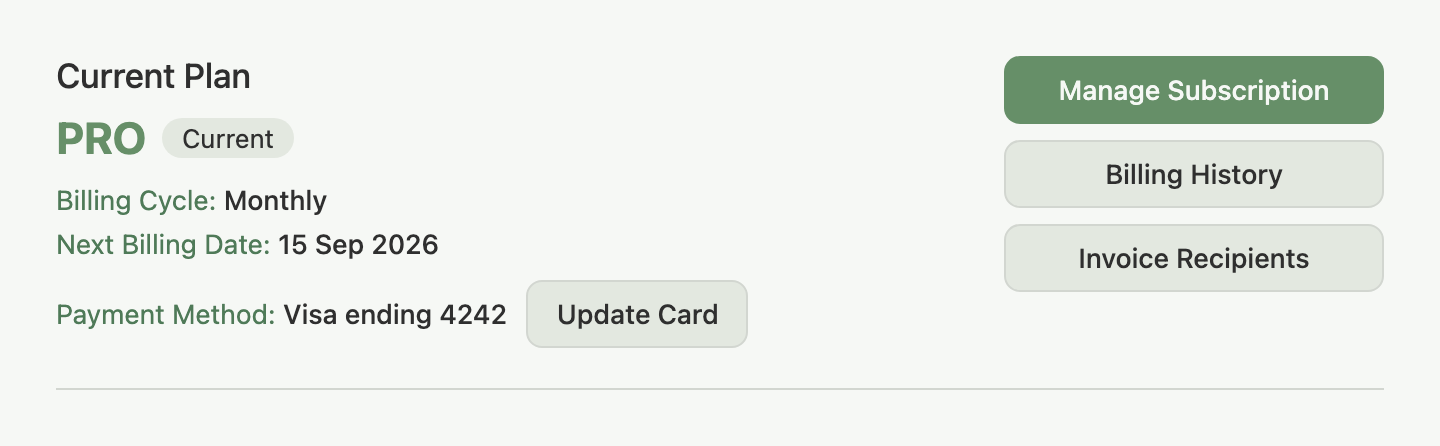
While the secure page opens, the button shows "Opening":

When you return to Billing, a message confirms your new card was saved and will be used for your next payment.
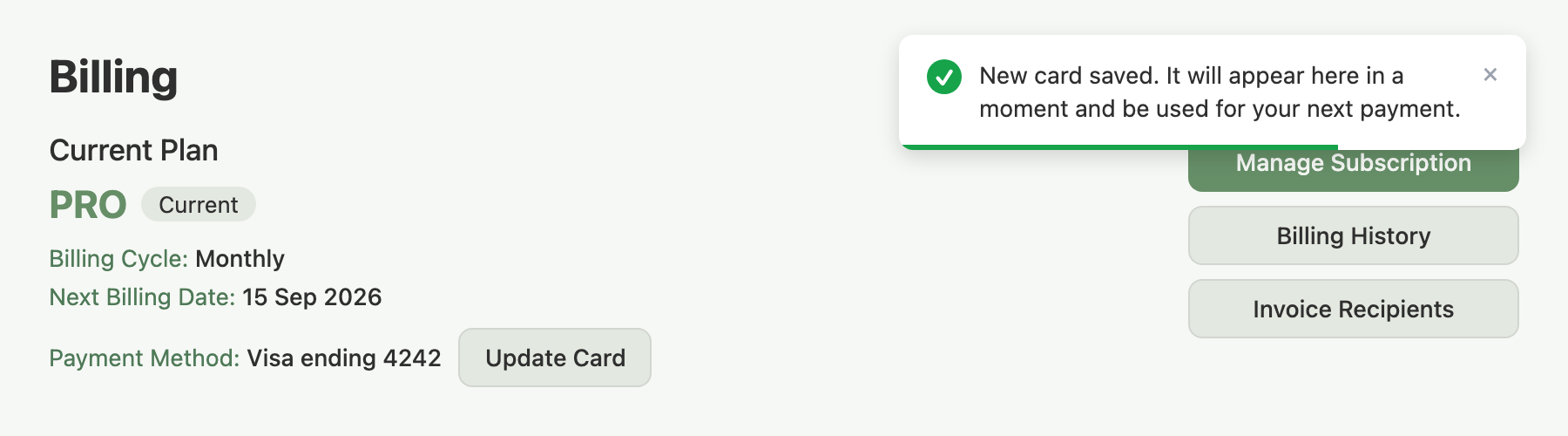
Example: Alex's card expires next month and nothing has failed yet. Alex clicks Update Card, saves the new card on the secure page and is not charged. Next month's renewal uses the new card.
If It Keeps Failing
If the final plan payment fails, your plan moves to FREE. Your products, including their marketplace listings, stay in place. Your marketplace connections stay connected and your past orders stay in your order history. You lose the higher SKU and order limits of your paid plan until you pay again.
SKU packs need a paid plan, so you can add them again only after you move back to one.
To get your paid plan back:
- Open Billing from your profile menu and click Manage Subscription.
- Select your plan and complete checkout with a working card.
See How to Upgrade Your Plan for the full flow.
If You Bill Through Shopify
If you signed up through the Shopify App Store, Shopify bills you, not Indexync.
- Payments and cards: you fix a payment and update your payment method in Shopify Admin. There is no Payment Method row or Update Card button on your Billing page, and if Shopify pauses your subscription for non-payment, the Payment Failed banner's Make Payment button (for card billing) does not apply to you.
- SKU packs: pack changes go through Shopify's own approval page (Continue to Shopify), so a pack never shows a Make Payment button.
Troubleshooting
The banner still shows after I paid. Wait a few minutes, as described in What Happens After You Pay. If it is still there after a while, email hello@indexync.com with your account email.
I can't add SKU packs. A failed pack charge or an overdue plan blocks adding packs. Pay the failed charge or your plan first with Make Payment, then add packs again.
My card looks correct but the payment keeps failing. Contact your bank to confirm it is not blocking the charge. Once your bank clears it, click Make Payment.
Where is the invoice or receipt for a payment? Every successful payment emails you both PDFs. See Where Do I Find My Invoice or Receipt?.
FAQ
Will I lose my products if my payment fails?
No. Only the higher limits of your paid plan go away if your plan moves to FREE.
What does "last retry" mean?
Indexync is about to try this payment one more time, and your plan moves to FREE if that try fails. Click Make Payment before then to keep your plan.
What happens to my SKU packs if the pack charge fails?
Your plan and products are unaffected. Pay the charge with Make Payment to keep your packs. If it keeps failing, the packs are removed, your limit returns to your plan's own, and you can add packs again at any time.
Do I have to pay for removed SKU packs to get them back?
No. Packs are prepaid, so you owe nothing for the removed charge. Click Add SKU Packs on the banner or in the Add-Ons section of Billing.
Why does Make Payment say my store credit covers it?
For a plan renewal, SKU pack or Extra Orders charge, Make Payment is refused with a message that your store credit covers it in full, because no card payment is needed. The next automatic try settles the charge from your credit.
Related Articles
- How Does Billing Work in Indexync?
- How to Upgrade Your Plan
- How to Cancel or Downgrade Your Plan
- Why Does My Usage Count Look Wrong?
- Where Do I Find My Invoice or Receipt?
- How Do I Get More SKUs Without Upgrading My Plan?
- What Is Store Credit and How Does It Work?
Need More Help?
Visit our Feedback page, WhatsApp us, or email hello@indexync.com.